
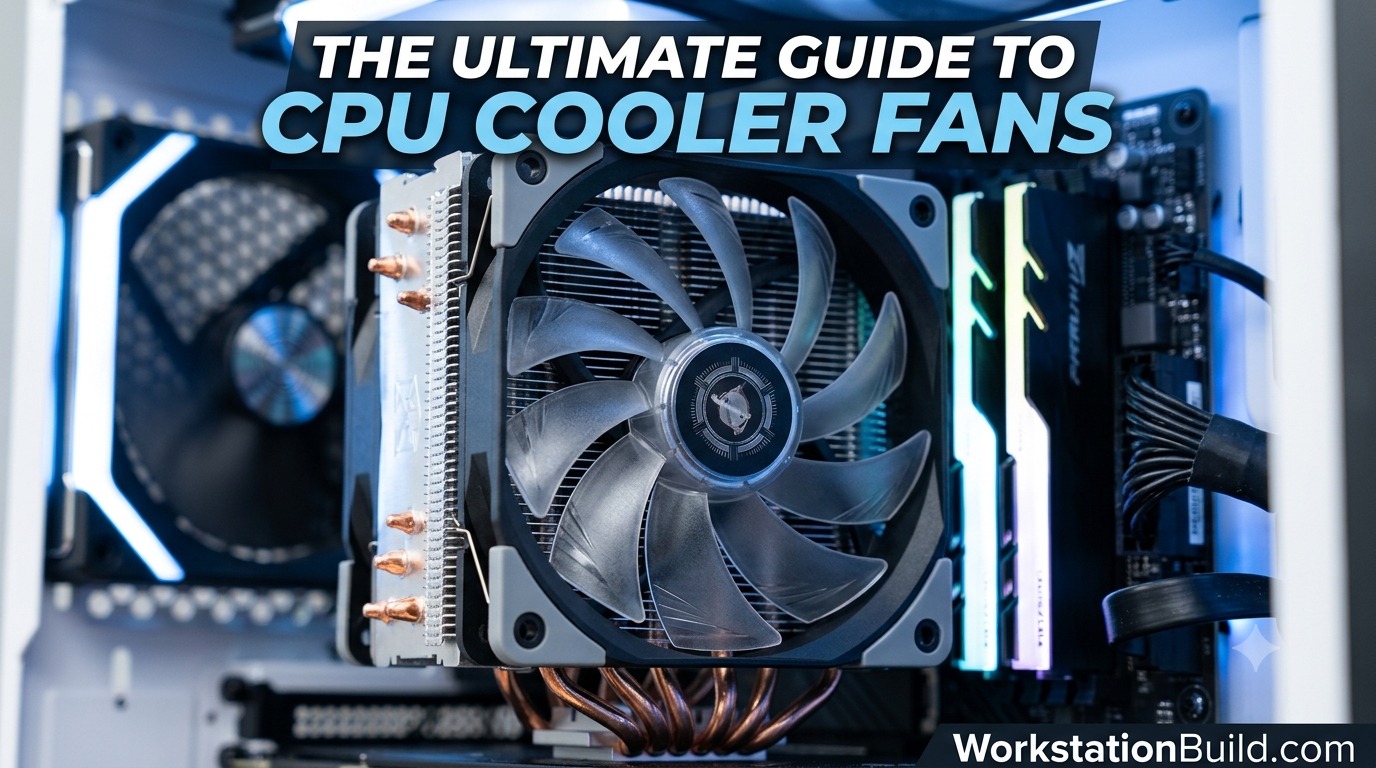
The Ultimate Guide to CPU Cooler Fans: Science, Selection, and Thermal Performance
When building a high-performance PC—whether it is a heavy-duty 3D rendering rig, a video editing workstation, or a top-tier gaming system—every component demands careful consideration. Yet, among processors, graphics cards, and high-speed storage, one critical component often gets overlooked until temperatures start spiking: the CPU cooler fan.
A processor produces an incredible amount of heat under load. Modern CPUs from Intel and AMD can easily consume anywhere from 65 watts to upwards of 300 watts under full synthetic loads or heavy rendering sessions. Without an efficient heat dissipation system driven by high-quality fans, your CPU will quickly reach thermal thresholds, trigger thermal throttling, drop clock speeds, and severely degrade performance—or worse, suffer a shortened lifespan.
This comprehensive guide breaks down everything you need to know about CPU cooler fans, from the underlying physics of static pressure to choosing between air and liquid cooling setups for your workstation.
1. Demystifying Terminology: Fans vs. Heatsinks vs. Coolers
Before diving into specifications, it helps to clarify common hardware terms. PC builders often use “CPU fan,” “CPU heatsink,” and “CPU cooler” interchangeably, but they refer to distinct parts of an integrated thermal assembly:
- The Heatsink / Radiator: The passive metal structure (usually made of aluminum fins connected by copper heat pipes or fluid channels) that draws heat away from the processor’s Integrated Heat Spreader (IHS).
- The CPU Fan: The active component mounted directly onto the heatsink or AIO radiator. Its sole job is to force ambient air through the tight cooling fins to dissipate thermal energy into the surrounding environment.
- The CPU Cooler: The complete unit consisting of the baseplate, heat pipes or liquid pump, heatsink fins or radiator, mounting hardware, and the fans themselves.
While passive heatsinks exist, high-end workstations and modern desktop processors rely heavily on active cooling driven by performance-engineered CPU fans.
2. The Physics of CPU Airflow: Static Pressure vs. Airflow Volume
Not all 120mm or 140mm fans are built the same. If you take a standard case fan designed for open airflow and mount it onto a dense CPU cooler heatsink, your temperatures will likely suffer. To understand why, you must understand two primary metrics: CFM and Static Pressure.
Airflow Volume (CFM)
Airflow volume is measured in Cubic Feet per Minute (CFM). This metric indicates how much total air a fan can move in open space without encountering resistance.
- Best for: PC case exhaust fans or intake areas with unrestricted mesh panels where air moves freely.
- Blade Design: Fans optimized for airflow usually feature thinner, more sharply curved blades spaced wider apart to scoop maximum air volume.
Static Pressure (mmH₂O)
Static pressure is measured in millimeters of water gauge (mmH₂O). It measures the fan’s ability to force air through restrictive barriers, such as tightly packed metal radiator fins, dense air cooler towers, or fine dust filters.
- Best for: CPU heatsinks, All-In-One (AIO) liquid cooling radiators, and high-density PC cases.
- Blade Design: Static pressure fans feature wider, flatter blades with narrower gaps between them. This design creates a concentrated, directional beam of air that overcomes resistance without letting air blow backward around the blades.
Key Rule for Workstation Builders: Always prioritize high static pressure (mmH₂O) over maximum CFM when choosing fans specifically intended for CPU heatsinks or liquid radiators.
3. Decoding Technical Specs: What Makes a Great CPU Fan?
When browsing specs for aftermarket CPU fans, you will encounter several key technical details. Here is what to look for:
+-------------------+-----------------------------------+---------------------------------------------+
| Specification     | What It Means                     | Ideal Target for CPU Coolers               |
+-------------------+-----------------------------------+---------------------------------------------+
| Static Pressure   | Air force against resistance      | 2.0 mmH₂O or higher                         |
| Airflow Volume    | Total air volume moved            | 50 - 70+ CFM                                |
| RPM Range         | Revolutions Per Minute            | 500 – 2000+ RPM (PWM adjustable)            |
| Noise Level       | Operating sound volume            | Under 28–30 dBA under load                  |
| Connector Type    | Power and control interface       | 4-pin PWM (Pulse Width Modulation)          |
| Bearing Type      | Internal mechanism for rotation   | Fluid Dynamic Bearing (FDB) or MagLev       |
+-------------------+-----------------------------------+---------------------------------------------+
1. PWM Control (4-Pin vs. 3-Pin)
Always choose 4-pin PWM (Pulse Width Modulation) fans for CPU cooling.
- 3-Pin (DC Control): Adjusts fan speed by altering the electrical voltage supplied to the motor. This method offers limited control ranges and can cause motor whine at low voltages.
- 4-Pin (PWM Control): Receives a constant 12V power supply while an independent signal pin sends high-frequency pulses to control speed. This allows fine-tuned control—from near-silent idle speeds (e.g., 300 RPM) up to maximum speed (e.g., 2200 RPM)—based directly on real-time CPU thermal sensors.
2. Bearing Types and Longevity
The mechanical bearing inside the fan hub dictates its operational lifespan, noise profile, and vertical/horizontal mounting flexibility:
- Sleeve Bearings: Inexpensive, quiet when new, but wear out quickly (especially when mounted horizontally on top radiators). Not recommended for high-performance builds.
- Ball Bearings (Single/Dual): Extremely durable and handle heat well, but tend to produce an audible mechanical hum at lower RPMs. Common in server gear.
- Fluid Dynamic Bearings (FDB) / Hydro Dynamic Bearings (HDB): The gold standard for desktop workstations. They use pressurized oil to suspend the shaft, offering near-silent operation, high durability, and excellent reliability in any mounting orientation.
- Magnetic Levitation (MagLev): Uses magnetic fields to eliminate physical contact between the shaft and bearing walls, dramatically reducing friction, wear, and noise.
4. Types of CPU Cooling Systems
To choose the right fan, you need to understand the cooler environment it operates in. Thermal solutions fall into three main categories.
                  +-----------------------------------+
                  |        CPU Cooling Options        |
                  +-----------------+-----------------+
                                    |
         +--------------------------+--------------------------+
         |                                                     |
  +------+------+                                       +------+------+
  | Air Coolers |                                       | Liquid Cool |
  +------+------+                                       +------+------+
         |                                                     |
   +-----+-----+                                         +-----+-----+
   |           |                                         |           |
Single       Dual                                       AIO        Custom
Tower        Tower                                    Cooler        Loop
Option A: Air Coolers (Heatsink + Fan Assemblies)
Air coolers transfer heat from the processor baseplate up through copper heat pipes into an array of stacked aluminum fins. A fan then blows cold air through these fins.
- Single-Tower Coolers: Feature one vertical fin stack and typically use a single 120mm fan. Excellent for mid-range builds, budget workstations, or compact builds with strict memory clearance requirements.
- Dual-Tower Coolers: Massive thermal solutions using two separate fin stacks equipped with two (or three) fans (often a combination of 120mm and 140mm fans). Top-tier air coolers rival many liquid AIOs in performance, offering exceptional reliability since there are no pumps to fail.
- Top-Down / Low-Profile Coolers: Designed for Small Form Factor (SFF) cases. The fan blows downward toward the motherboard, providing air to surrounding VRMs and RAM slots, though maximum heat dissipation is limited compared to tower designs.
Option B: All-In-One (AIO) Liquid Coolers
AIO liquid coolers use a closed-loop system where a CPU block/pump combo circulates liquid coolant through rubber tubes to an aluminum radiator. CPU fans mounted on the radiator pull or push air through the dense fins to cool the liquid.
- 120mm / 140mm Radiators: Generally not recommended for modern multi-core workstations due to limited surface area.
- 240mm / 280mm Radiators: Balanced thermal capacity, fitting a wide range of mid-tower cases.
- 360mm / 420mm Radiators: The go-to choice for high-TDP CPUs (Intel Core i9, AMD Ryzen 9, Threadripper) running prolonged heavy multi-threaded workloads.
Option C: Custom Open-Loop Liquid Cooling
Custom loops use standalone pumps, reservoirs, custom tubing, and dedicated radiators. They offer the absolute highest thermal overhead but require routine maintenance, leak testing, and significantly higher budgets.
5. Air Cooling vs. AIO Liquid Cooling: A Workstation Comparison
When setting up a professional workstation, stability, maintenance, and thermal endurance are top priorities. Here is how air cooling and liquid cooling compare head-to-head:
+-------------------------+-----------------------------------+-----------------------------------+
| Feature                 | Air Cooling                       | AIO Liquid Cooling                |
+-------------------------+-----------------------------------+-----------------------------------+
| Fail-Safe Reliability   | Outstanding (Only fans can fail) | Moderate (Pump, leaks, permeation)|
| Thermal Capacity (TDP)  | Excellent (Up to ~250W)           | Superior (Up to ~350W+)           |
| Maintenance Requirement | Low (Occasional dust blowing)     | Low-to-Moderate (Zero refill,     |
|                         |                                   |  but replacement needed eventually)|
| RAM / Case Clearance    | Can block tall memory modules     | Excellent around the socket area  |
| Noise Profile           | Smooth, consistent fan sound      | Fan noise plus subtle pump hum    |
| Lifespan                | 10+ Years (Swap fan if needed)    | 4 - 6 Years average               |
+-------------------------+-----------------------------------+-----------------------------------+
The Reliability Factor for Workstations
For continuous workstation rendering tasks, air cooling offers an inherent safety advantage: if a CPU cooler fan fails, the massive aluminum heatsink still passively dissipates enough heat to prevent immediate thermal shutdown, giving you time to save your work.
With an AIO liquid cooler, a failed pump leads to rapid heat accumulation in the CPU block within minutes, inevitably causing thermal throttling or system shutdown. However, AIOs provide lower peak thermal spikes under sudden, heavy CPU loads due to the liquid’s higher thermal heat capacity.
6. Optimized Fan Configurations: Push vs. Pull vs. Push-Pull
How you mount your fans onto your heatsink or radiator matters just as much as the fan specs themselves.
       PUSH                         PULL                      PUSH-PULL
  Air   ---> [Fan] --->          Air   --->                      Air   ---> [Fan] --->
Direction    [Heatsink]         Direction    [Heatsink]         Direction    [Heatsink]
                                                ---> [Fan]                      ---> [Fan]
- Push Configuration: The fan is installed in front of the radiator/heatsink, pushing cool ambient air into the fin stack.
- Verdict: The standard standard configuration. Easy to clean and highly efficient.
- Pull Configuration: The fan is installed behind the radiator/heatsink, pulling warm air through the fins away from the block.
- Verdict: Similar performance to push setups, though slightly easier to clean dust out of the radiator face.
- Push-Pull Configuration: Fans are installed on both sides of the heatsink or radiator—one pushing air in, the other pulling air out simultaneously.
- Verdict: Ideal for thick radiators (45mm+ thickness) or extreme overclocking. It provides a modest 2°C to 5°C drop in peak temperatures by maximizing airflow velocity through dense fins, though it adds overall noise and requires extra clearance inside your case.
7. Optimizing Case Pressure and Airflow Loops
A CPU cooler fan cannot perform effectively if it is trapped inside a hot case with inadequate fresh air intake. Establishing ideal overall case pressure is critical:
Positive Airflow Pressure (Recommended for Workstations)
- Setup: More intake airflow volume than exhaust airflow volume (e.g., three 140mm intake fans vs. two 120mm exhaust fans).
- Why it works: Forces air out through unsealed mesh gaps and case seams, preventing dust from being drawn in through un-filtered cracks. It maintains a steady supply of fresh, cool air for your CPU fan to draw from.
Negative Airflow Pressure
- Setup: More exhaust airflow volume than intake airflow volume.
- Drawback: Creates a partial vacuum that pulls dust in through every un-filtered crack and seam in your chassis, rapidly clogging heatsink fins over time.
8. Managing Noise: Acoustic Engineering & Custom Fan Curves
High performance does not have to mean a noisy workspace. Managing acoustics involves balancing fan mechanical noise and turbulence.
Tuning the BIOS Fan Curve
Modern motherboards allow you to set step-by-step fan curves linked directly to your CPU’s temperature sensors. A well-optimized curve prevents “fan ramping”—the annoying phenomenon where fans constantly spin up and down during brief, background CPU spikes.
Recommended Baseline Workstation Fan Curve:
Fan Speed (%)
100% |                                              +------ (85°C+)
     |                                             /
 75% |                                      +-----/        (75°C)
     |                                     /
 50% |                       +------------/                (60°C)
     |                      /
 35% | +-------------------+                               (Idle to 50°C)
     +---------------------------------------------------- Temperature (°C)
       0°C                  50°C       60°C     75°C   85°C
- 0°C – 50°C (Idle/Light Tasks): Lock fans to a flat, quiet baseline speed (e.g., 30% to 40% RPM).
- 50°C – 70°C (Moderate Workloads): Smoothly scale fans up to ~65% speed.
- 70°C – 80°C (Heavy Sustained Load): Scale up to 85% speed to aggressively dissipate thermal load.
- 85°C+ (Thermal Limit): Drive fans to 100% speed to safeguard the CPU from emergency thermal throttling.
9. Installation Best Practices & Thermal Paste Application
Even the highest-end static pressure fan and heat sink cannot overcome improper installation. Follow these essential tips when assembling your system:
1. Thermal Paste Application
Thermal paste fills microscopic air gaps between the flat surface of the CPU’s heat spreader and the base of your cooler.
- Amount: Use a small pea-sized dot (or an “X” pattern for larger IHS chips like Intel LGA1700 or AMD AM5).
- Avoid Over-application: Too much thermal compound acts as an insulator rather than a conductor, driving up operating temperatures.
- Peel the Plastic Cover! A surprisingly common mistake is forgetting to peel off the protective clear plastic film on the base of a new cooler. Always double-check before mounting!
2. Balanced Mounting Pressure
When screwing down your CPU heatsink or AIO water block:
- Tighten screws in a cross/diagonal pattern (top-left, bottom-right, top-right, bottom-left).
- Turn each screw two to three times before moving to the next. This ensures even thermal paste spread across the heat spreader and prevents uneven pressure on CPU pins or socket contacts.
3. Fan Cable Management
Ensure fan cables are routed away from exposed fan blades. PWM extension cables and fan hubs can keep your build neat, helping prevent accidental blade snagging or obstructed intake paths.
10. Maintenance: Keeping Your CPU Cooler Running Smoothly
Over time, dust acts as a thermal blanket on heatsinks and radiator fins, restricting static pressure and causing fans to work harder and run louder.
Recommended Maintenance Schedule:
- Every 3 Months: Inspect fan blades and dust filters. Use compressed air to clear light dust buildup.
- Every 6 to 12 Months: Power down the machine, block the fan blades with your fingers (to prevent excessive spinning that can generate back-EMF voltage and damage fan bearings), and thoroughly blow out dust from deep within the heatsink or radiator fins.
- Every 2 to 3 Years: Clean off and reapply fresh thermal paste to counteract paste drying, which degrades heat conductivity over time.
Summary: Key Takeaways for Your Build
Selecting the ideal CPU cooler fan setup comes down to your workload demands, workspace noise preferences, and hardware layout:
- Prioritize Static Pressure: Look for fans rated for high static pressure (mmH₂O) when populating heatsinks or liquid radiators.
- Match Coolers to TDP: Use multi-fan dual towers or 360mm/420mm AIO liquid coolers for demanding, high-TDP multi-core workstation processors.
- Choose Fluid Dynamic Bearings: Opt for FDB, HDB, or MagLev fans to ensure whisper-quiet operation and multi-year durability.
- Enforce Positive Pressure: Keep intake airflow slightly higher than exhaust airflow to keep dust out of your case.
- Fine-Tune Fan Curves: Set custom PWM fan curves in your BIOS to prevent annoying noise spikes while keeping thermal performance in check under heavy sustained loads.
Investing in a high-quality CPU cooler fan setup ensures your processor consistently performs at its boosted clock speeds while keeping your workstation stable, quiet, and reliable for years to come.